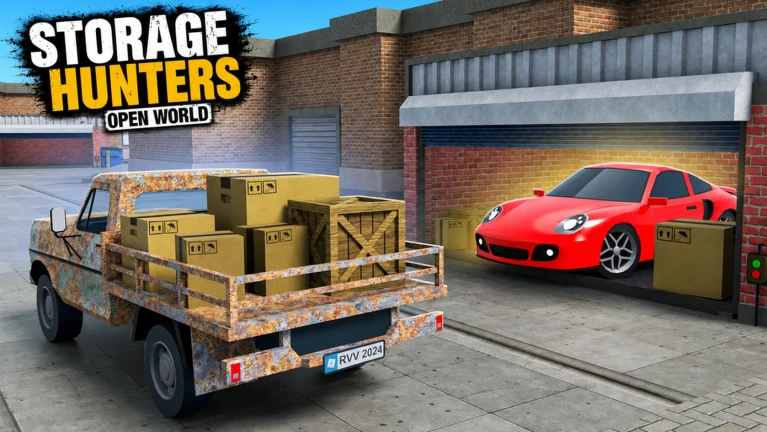
Storage Hunters: Open World Auctions
Bid zones, locker previews, The Mines limited card, and max-bid planning with the sell calculator.
By Bloxron Editorial Team · Last updated
Auction overview
Bid on sealed lockers in the bid zone, haul what you win, then grade and sell. Previews show base values only — mutations (Secret 50×, Void 35×) apply later at the shop counter and add, they do not multiply. Cap offers so net profit after auction cost stays positive.
Deep links: calculator, areas.
Bidding by yard table
Permanent yards unlock in order as net worth climbs: Junk Yard with no gate, Back Alley around $750, Power Plant ferry around $7,500, Farmyard around $10,000, Shipyard around $125,000, then Lucky Bay (~$2.5M) and Business Bay doors. Cap offers per yard tier, leave when you can win without overbidding, and remember locker previews never show mutations.
Permanent yards unlock in order, Junk Yard → Back Alley → Power Plant → Farmyard → Shipyard → Lucky Bay → Business Bay. Unlock gates, loot tiers, and when to move on are on the areas page.
- Junk Yard, Learn the bid zone, previews stay cheap, so bankroll and sell speed matter more than truck size.
- Back Alley, Set a max bid before NPCs chase the preview, thin margins punish emotional raises.
- Power Plant, Clear garage tier gates before max-bidding; Engineer-installed parts refund sell value, so restoration quests are not a permanent item sink.
- Farmyard, Preview machinery weight before you commit, one heavy piece can block a starter truck.
- Shipyard, High preview ceilings, need a heavy hauler, shelf space, and grading time in your cap.
- Lucky Bay, Shipyard-tier previews or higher, run the calculator and check cargo before emotional raises on industrial hauls.
- Business Bay, Cap every luxury preview in the calculator. Do not max-bid until hauler weight and shelf turnover match the yard.
The Mines (Sep 26 – Oct 3, 2026)
The Mines is the Absolute Zero! underground loop past the Nuclear Power Plant. One-time bunker unlock costs 50 Gems; area use starts around $30,000 net worth. Inside: four auction bays, ten AFK rock nodes, Mixing Cauldron gem events (Ruby 110× / Titanium 7×), Mining Supervisor / Drink Seller NPCs, and the limited Hoverbike. The Roblox [⛏️] card runs Sep 26 – Oct 3, 2026 (~19:00 UTC close).
- Pay 50 Gems once at the sealed bunker past the Power Plant access road
- Clear ~$30,000 net worth before Prospector's Shack / Node 1
- Win a pickaxe from Mine Bunker auctions ($70 entry / $200K net worth), then grade toward 3 stars
- Stack Mining Speed Drink (−40% cycle) and Mining Luck Drink (+150%) while AFK on a node
- Brew Ruby (5 jewels → 110×, 20 min) at the Mixing Cauldron when the 30-minute brew cooldown is free
- Owned Mines loot, jewel mutators, and Hoverbike stay after the [⛏️] card closes Oct 3 ~19:00 UTC
Auction bays
| Unit | Entry | Net worth |
|---|---|---|
| Prospector's Shack | $20 | $30,000 |
| Mine Bunker | $70 | $200,000 |
| Ore Hopper Depot | $250 | $2,000,000 |
| Twin Drill Rig | $450 | $20,000,000 |
Rock nodes (AFK jewels)
| Node | Net worth |
|---|---|
| Node 1 | $30,000 |
| Node 2 | $60,000 |
| Node 3 | $200,000 |
| Node 4 | $600,000 |
| Node 5 | $2,000,000 |
| Node 6 | $6,000,000 |
| Node 7 | $15,000,000 |
| Node 8 | $50,000,000 |
| Node 9 | $150,000,000 |
| Node 10 | $500,000,000 |
Mixing Cauldron
Mixing Cauldron (cave center, between gargoyles): feed one jewel type to start a 20-minute server-wide mutator weather. Brew cooldown 30 minutes; same jewel again after 4 hours. Rarer jewels need fewer crystals — Ruby 5 for 110×, Titanium 15 for 7×. Middle jewel multipliers sit on the live brew UI.
| Jewel | Jewels to brew | Mutator |
|---|---|---|
| Ruby | 5 | 110× |
| Sapphire | 7 | — |
| Emerald | 8 | — |
| Amethyst | 9 | — |
| Aquamarine | 10 | — |
| Carnelian | 11 | — |
| Lapis | 12 | — |
| Citrine | 13 | — |
| Morganite | 14 | — |
| Titanium | 15 | 7× |
Drinks
- Mining Speed Drink: About 40% less time per jewel cycle (20 Gems or $72)
- Mining Luck Drink: +150% Mining Luck (30 Gems or $72)
Limited Hoverbike at the Auto Dealership: about $30,250,000 buy / $9,075,000 sell-back, ~138 km/h air speed, ~3,479 kg listed weight. Ships with the Ruby Geode Hoverboard cosmetic. New LIMITED stock follows the dealership card — owned bikes stay.
Mines collection index tracks 55 mine-exclusive items (Miner's Lunch Tin ~$40 through Mining Bucket Wheel ~$70,000). Completing the set pays 50 Gems on the claim button.
Wild West (Sep 12-26, 2026, completed)
Wild West was the limited event under the [🌵UPD] Roblox title (Sep 12-26, 2026; closed ~19:00 UTC). Players earned Gold Nuggets for event garage doors and the Wild West Market, and could roll Dusty, Tumbleweed, Gunsmoked, or Goldrush. Wash Dusty for a chance at Saloon Sparkle. The Cowboy Classic Car was the main Market prize. Owned mutators and vehicles stay; new Nugget sinks and event rolls stopped.
- Window closed September 26, 2026 — use this section as an archive for owned loot
- Owned Dusty / Tumbleweed / Gunsmoked / Goldrush / Saloon Sparkle pieces still sell at the counter
- Cowboy Classic Car and Horse Carriage keep if you already unlocked them; new Market spins are gone
- Gold Nugget Safes and Gold Panners from that week still work as inventory tools where the UI allows
- For The Mines auction / cauldron / Hoverbike tables, see Auction → The Mines
Two event garages charged Nuggets at the door during the window: Garage 1 about 10 Nuggets, Garage 2 about 20. Garage 2 wins still counted toward quests that said Garage 1+. Those pads closed with the event.
The Wild West Market sat in the Saloon area. Spins cost about 200 Gold Nuggets. The pool included potions, drinks, certificates, and the limited Cowboy Classic Car at a low listed chance (about 0.5%). New spins stopped when the window closed.
During the window, free crates or safes could appear around town (behind the Mayor / town hall, the wooden building next door, and the gas station between large cylinders). That sweep loop closed with the event.
Gold Nugget sources (archive)
- Gold Nugget Safes: Win a Wild West garage auction, collect the safe, grade it, then open
- Gold Panner: Event auction drop; equip and pan at map panning spots (reusable)
- Horse racing: Stable races during race windows; podium pays about 200 / 125 / 50 Nuggets for first / second / third — confirm live
- Bounty hunting: Claim targets from the Sheriff; Lasso one-taps named bandits such as Gunslinger
- Town defense: Defend the Wild West town when the map event spawns
- Mayor quests: Turn in objectives for Nuggets (about +10 plus other loot on some turn-ins); a long quest can ask for many Garage 1+ wins
Mutator names and wash notes are on Mutations. Cowboy Classic Car and Horse Carriage are on Vehicles.
Cargo Ship event
Not a permanent yard. The ship docks at the Shipyard on a rotating timer, Server event: the ship docks on a rotating timer (often about every 1-3 hours for ~15 minutes). Watch for the in-game banner that Cargo Ship auctions are live.
- Unlock: about $7,000 net worth before the gates open
- Location: Shipyard dock
- Board through the ship gates once your net worth clears the gate, then bid on deck containers. Exclusive Cargo Ship Collection Book items do not appear in normal yard lockers.
Recent limited events
The Mines underground loop (50 Gems bunker unlock past Power Plant): four auction bays ($20/$30K → $450/$20M), ten rock nodes to $500M, Mixing Cauldron (Ruby 5→110× / Titanium 15→7×), drinks, Hoverbike ~$30.25M. [⛏️] card through ~19:00 UTC Oct 3. Wild West closed Sep 26. Business Bay stays.
- The Mines (Sep 26 – Oct 3, 2026 · ~19:00 UTC, active)
The Mines is the Absolute Zero! underground loop past the Nuclear Power Plant. One-time bunker unlock costs 50 Gems; area use starts around $30,000 net worth. Inside: four auction bays, ten AFK rock nodes, Mixing Cauldron gem events (Ruby 110× / Titanium 7×), Mining Supervisor / Drink Seller NPCs, and the limited Hoverbike. The Roblox [⛏️] card runs Sep 26 – Oct 3, 2026 (~19:00 UTC close).
- Wild West (Sep 12-26, 2026 · ended ~19:00 UTC, completed)
Wild West was the limited event under the [🌵UPD] Roblox title (Sep 12-26, 2026; closed ~19:00 UTC). Players earned Gold Nuggets for event garage doors and the Wild West Market, and could roll Dusty, Tumbleweed, Gunsmoked, or Goldrush. Wash Dusty for a chance at Saloon Sparkle. The Cowboy Classic Car was the main Market prize. Owned mutators and vehicles stay; new Nugget sinks and event rolls stopped.
- Business Bay + Clubhouse (Live since Aug 22, 2026 (buff ~Aug 26), live)
Permanent endgame zone past Lucky Bay: High End Apartment, Luxury Hotel, and The Pointer garages, Michael quest deals, and shared Club Clubhouses. Late-August buff lowered net-worth doors and restored high-tier loot. Check gates in-game.
- Police Raid (Aug 29 - Sep 5, 2026 · ended 19:00 UTC, completed)
Timed seized-garage loop. Window closed before Wild West. Owned loot from that week still sells.
- Next Update (Sep 5-12 card) (Sep 5-12, 2026 · from 19:00 UTC, completed)
Placeholder card that became the Wild West / [🌵UPD] drop. Wild West has since closed; The Mines is the current timed card.
- Alien Invasion (Aug 15-22, 2026, completed)
Limited event with temporary auction garages, Alien Market currency, event locker loot, and UFO rides. Garages closed when Business Bay opened; owned event rolls still sell.
Bidding loop
Stand in the bid zone → read base preview (ignore mutation hope) → set max from the calculator → win → load within cargo wt → grade at shop → list. Leave a cash buffer for the next paddles.
- Enter an auction area and stand inside the bid zone when a locker opens.
- Watch the brief preview, base values only, not mutation payouts.
- Press the interact key to raise your offer against NPC and player bidders.
- Win the locker, load items and any safes before leaving, partial hauls waste bids.
- Grade and list at the shop; mutations stack additively on the counter.
Know your max bid
Use the sell calculator so net profit after auction cost is your ceiling. Example: base $565 Scrap Dominus with Void 35× sells far above preview — but you still bid on the $565 base, not the hoped Void. Values over $1,000 also hit the 60% condition curve.
Decide your top offer before the bidding heats up. A shiny roll on cheap clutter still loses money if you overpay, the preview cannot show mutation payout. Factor in safe weight and cargo limits in your cap so a win you cannot haul is not a win.
- Grade high-base exclusives mentally at preview time, run the calculator on anything close.
- Subtract expected grading and shelf time if you are still on starter selling space.
- Grow net worth toward the next yard gate before you chase its entry costs, see areas.
Common overbid mistakes
Bidding on vibe instead of calculator net, ignoring cargo weight (Starter Truck 120 wt fails Farmyard machinery), treating previews as mutation-ready values, and chasing The Mines / Lucky Bay lockers before Shipyard bankroll is stable.
- Chasing preview totals without grading or mutation math.
- Ignoring locker weight when your hauler is still starter-tier.
- Bidding in a new area before the net-worth unlock clears.
- Leaving high-base exclusives behind to grab low-value filler.
- Opening safes on-site instead of hauling them, burns keys without shop prep.
- Treating Cargo Ship as a permanent zone you can return to anytime.
After you win
Match safe keys, load the truck within cargo wt, grade at the shop so additive mutations apply, then list. Leave a cash buffer for the next paddles — emptying the bank on one win stalls Back Alley (~$750) progress.
Open safes with the matching keys at your shop, load the good stuff first, then head back to grade. Grab collectibles between runs for Collection Book progress and extra sell value.
FAQ
Does the locker preview show mutation value?
No: previews list base values only. Mutations apply at the shop counter. Use the calculator when you expect a roll.
What happens if I win but cannot load everything?
Left-behind loot is lost profit on your winning bid. Check cargo weight and carry limit before you commit to a max offer.
Do I need to stand in a bid zone?
Yes: stay inside the marked bid zone when a locker opens or your raises may not register against NPC and player bidders.
Can cash alone unlock the next yard?
No: permanent yards gate mainly on net worth (Back Alley ~$750, Farmyard ~$10,000, Shipyard ~$125,000; Business Bay lists per-garage doors). Unspent bid cash does not skip the unlock UI.
What is the Cargo Ship event?
A timed auction that docks at the Shipyard. You need about $7,000 net worth to board. It is not a permanent fifth yard between Back Alley and Farmyard, catch the live banner, bid on deck containers, then leave when the ship sails.
When should I stop bidding on a locker?
When your max bid exceeds graded shelf payout minus a margin you are willing to risk on mutations. Preview totals alone are not enough.
What is Business Bay bidding?
Business Bay is the permanent luxury zone past Lucky Bay with High End Apartment, Luxury Hotel, and The Pointer. Each door has its own net-worth gate and entry fee after the late-August buff. Previews run higher than Lucky Bay, so cap offers in the calculator before you chase a locker.
Is there a limited-time auction rotation?
Yes at times. Absolute Zero! adds temporary locker loops on the map. The Mines (Sep 26 – Oct 3, 2026, ends ~19:00 UTC Oct 3) is the current timed card. Wild West (Sep 12-26), Police Raid (Aug 29 - Sep 5), and Alien Invasion (Aug 15-22) are closed examples. Limited pieces leave the pool when the window ends; follow live banners while a card is active.
What is The Mines?
The Mines underground loop past the Power Plant (50 Gems unlock): four auction bays, ten AFK nodes, Mixing Cauldron (Ruby 110× / Titanium 7×), drinks, and limited Hoverbike. Roblox [⛏️] card Sep 26 – Oct 3, 2026 (~19:00 UTC close). Full tables on this page.