Practical Basketball WikiControls, Builds & Takeovers
Skill-based Roblox hoops between test windows: learn the inputs in Learn PB, shape a My Player, and pick a takeover that matches the job you actually play.
Play on Roblox →Join the Community
By Bloxron Editorial Team · Last updated
Test schedule
All Events →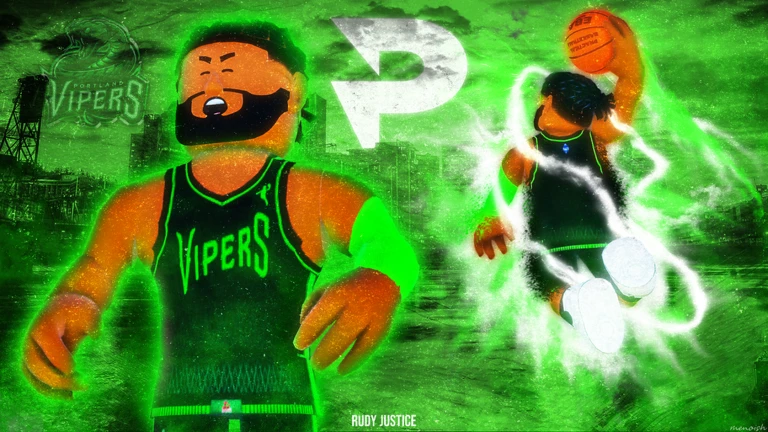
Jul 29, 2026, 07:00 UTC - Aug 13, 2026, 06:59 UTC
Schedule window closed August 12, 2026 PT. Courts have stayed offline on Be Back Soon since then while the studio updates. After the window, the main Roblox listing may show Be Back Soon with no running experiences: that is downtime for updates, not a secret live court. While live: Learn PB, My Player, Plaza, Park, Gym, and Rec/Blacktop on the stress-test-tagged place. Binds and thresholds could move during the slice. When servers return, trust the live place title and overlay over this card. Do not treat ST3 attribute screenshots as permanent law.
Practical Basketball is skill-timed Roblox hoops. You shape a My Player, learn inputs, then take that kit into Plaza, Park, Gym, and Rec/Blacktop. Timing beats mashing, green windows, hand-dependent dribbles, numbered passes, and dunk keys that punish the wrong finish matter more than a flashy attribute card.
Stress Test 3’s window closed August 12, 2026 PT. As of late August, the Roblox listing still often shows Be Back Soon with no running experiences while the studio updates, check events for the archive and how to read the place title. When courts are up, binds and thresholds can still move between patches.
Database
Wiki & guides
4 flat topics, pick the page that matches the job in front of you. Test dates and downtime notes sit in the schedule above.
PC and console tables, Perfect Release, dunks, drive gathers, pass variants, and a practice checklist, overlay wins after patches.
Open controls →Takeover role fits, best uses, and who should skip each option.
Open takeovers →First-session route: live place check, Learn PB order, My Player basics, Gym habits, and traps to skip.
Open beginner →Build philosophy, badge categories, guard/wing/big archetypes, settings that change feel, and anti-patterns.
Open builds →Getting started
New accounts: follow the timed first session on the beginner guide. After the hands feel honest, use the wiki cards below for keybinds, takeovers, and builds.
My Player in one pass
Height, body, attributes, badges, takeover, and animations set the job, not the Plaza fit. Name what you do each possession before you spend. Beginner covers the minimum walkthrough; Best Builds covers role sheets.
Reputation (preview)
Ranks climb Starter → Amateur → Pro → All-Star → Superstar → Legend as a milestone ladder, not a locked payout sheet. Previews have mixed tickets, coins, boosts, cosmetics, and extra build slots, believe the live tooltip over last week’s screenshot. Rank up while the floor skills stick; early currency belongs on looks you want or a second experiment slot, not panic Plaza buys.
Where to go in-game
Match the mode to the night: learn in Learn PB and Gym, express in Park, stress team habits in Rec/Blacktop, cosmetics in Plaza.
Learn PB : Onboarding drills
In-game drill suite. First-session order is on the beginner guide; come back after input patches.
Plaza : Social & cosmetics
Lobby and appearance economy. Meet squads here; fashion does not green contested threes.
Park : Pickup games
Short, loud pickup. Bring one or two go-to actions; leave lab combos for Gym.
Gym : Practice & custom
Public and private labs for short scripts before you queue.
Rec / Blacktop : Team games
More structured 5v5. Check live rule toggles before you assume last week’s menu.
Game info
Live stats from Roblox for [TITLE UNAVAILABLE]
- Creator
- [UNKNOWN]
- Genre
- Unknown
- Max players
- 0
- Playing now
- 0
- Visits
- 0
- Favorites
- 0
- Rating
- 91.9%
- Last updated
- Jan 1, 1
Roblox stats · updated Sep 15, 2026
FAQ
Is Practical Basketball still in stress testing?
Stress Test 3 ended August 12, 2026 PT. No Stress Test 4 window is published yet. The listing may sit on Be Back Soon until the next open. Calendar and downtime notes live on the Events page.
Where should a new account go first?
Beginner guide, when the place is up, Learn PB, Gym, then a simple job.
Do I need a takeover before I play?
You pick one with the build. It should amp the job you practice, full fits sit on the Takeovers card below.
Is there an official Trello?
No. Use the live game UI when servers are up, plus the studio’s official community channels for patch and bind updates.
Are redeem codes available?
Status is on the codes page. No redeem menu has shown yet, skip random chat lists.