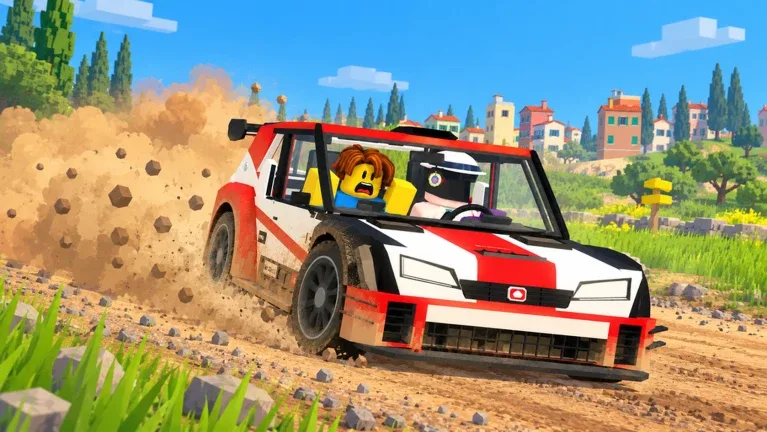
How to play: beginner guide
First session: spawn, seat a co-driver, learn pace notes, and finish Pine Forest.
First Pine Forest finish
You cannot see the full road. Your co-driver can. DRIVE with AI, stop in the start box, listen for Slight vs Hard, then bank CR and XP toward Freccia HF.
- Open PLAY → DRIVEFrom the main menu choose PLAY, then DRIVE. FREE ROAM walks the service park. CO-DRIVE sits as navigator for someone else.
- Start in the Orso 4New accounts spawn the Orso 4 (D 279): 149 km/h, 75 hp, RWD, 5 gears, tall mud tyres, and a roof spare. Learn in this car before buying Unlock Now skips.
- Seat a co-driverOn CO-DRIVER pick AI Co-Driver for solo, Leave Seat Open for anyone, or Spawn + Invite for a friend (they must accept). Pending invites can still show AI on the panel.
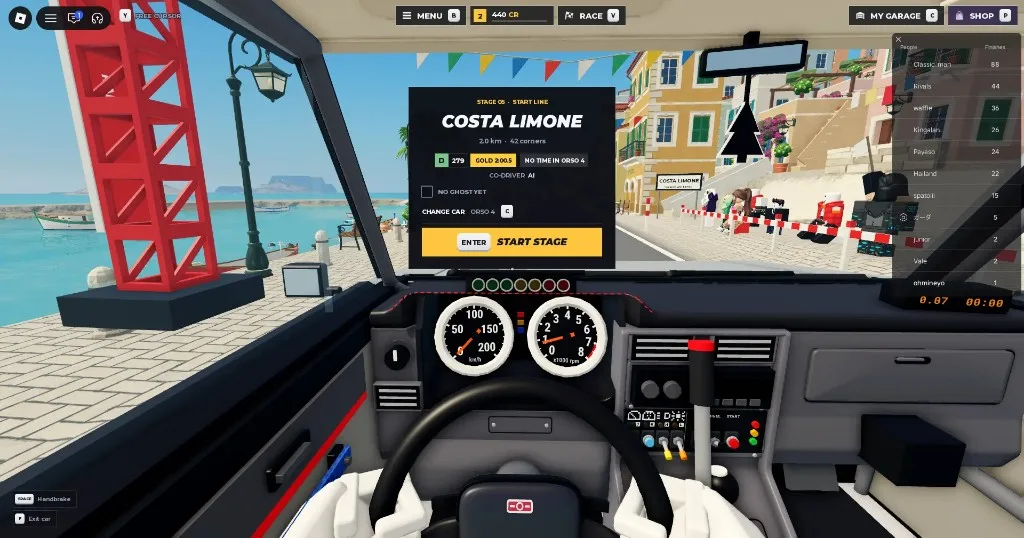
- Stop in the start boxAfter spawn, park inside the marked box. If you overshoot, follow MISSED THE START BOX / Back to the box. Press Enter when START STAGE appears, then wait for GO.
- Read Slight vs HardSlight left/right needs little lift. Hard calls often want early brake and Space handbrake through the turn. Stay on the road. Off-track shows DANGER.
- Finish, check rewards, unlock nextCR and XP appear on the Rewards screen after the replay (Enter skips replay). Aim for Freccia HF at level 3, then Rascal S (5) and Saetta HF (6). Optional: press V at the start line to host a race (2-6 players, class filters, collisions on/off).
Controls
Keyboard defaults for driving, recovery, garage, and races.
| Input | Action |
|---|---|
| W / S / A / D | Throttle, brake (hold S to reverse), steer. |
| Space | Handbrake. Use on hairpins and Hard calls. |
| R | During a timed run: last checkpoint. Before the run: back to the start box. |
| Backspace (hold) | Restart at the start box. |
| C | My Garage. |
| V / RACE | Host or join multiplayer races at the start line. |
| N | Toggle Arcade / Sim handling from the driver seat. |
| Enter | Confirm START STAGE, skip replay, or equip items. |
Contracts and rewards
Check objectives before you spawn, then read the Rewards breakdown after you finish.
- Check CONTRACTS before you spawnOpen CONTRACTS from the main menu, and read the objective on the stage start panel. Early examples include Finish Pine Forest twice and 2 Clean Runs.
- Clean Run and Daily FirstRewards can stack Stage Finish with Clean Run, First Gold, Daily First, and contract payouts. Read each row on the Rewards screen after you finish.
Driving settings
Handling, brake assist, and Simple vs Full co-driver calls.
- HandlingSettings → Driving: Arcade or Sim from the driver seat (also N).
- Brake assistSettings → Driving: Auto, On, or Off.
- Co-driver callsSettings → Driving: Simple (Slight / Hard) or Full (adds numbered severity).
During the run
Visibility tools, damage, and sector practice.
- Visibility toolsMud on the windshield: use wipers and washer. Dark stages: headlights and spotlights. Check the in-car controls list for your device binds.
- Damage persistsA cracked windshield stays cracked for the run. Drive cleaner if vision is already bad.
- Sectors on resultsFinishes show sectors 1-4 compared with your personal best. Practice the slow sector next.
Seat a co-driver
AI, open seat, or invite a friend. Then learn Slight, Hard, and numbered Full pace notes.
- AI Co-DriverBest for solo. The AI sits shotgun and calls the route. It often uses a friend's avatar for the seat model.
- Leave Seat OpenAnyone in the server can take the co-driver seat. Useful in public lobbies.
- Spawn + InviteInvite a specific friend. They must accept. Until they join, the panel may still show AI.
- CO-DRIVE modeFrom PLAY choose CO-DRIVE, or walk up and press E Co-drive on a parked car to navigate for that driver.
Pace notes
What the calls mean when you are in the seat.
| Call | Meaning |
|---|---|
| Slight left / right | Shallow bend. Small steering, little or no brake. |
| Hard left / right | Tight turn. Brake early. Space handbrake helps rotate. |
| Hairpin | Near 180°. Slow in, handbrake optional, patience on exit. |
| Numbered notes (Full) | Severity numbers like Right five or Left three into left two. Set Co-driver calls to Full in Settings → Driving. |
| DANGER / off-track | You left the road or are about to. Ease back onto the surface. |
Driver and navigator tips
Timing, call language, and invite lag.
- DriversCommit early to Hard calls. Late turn-in costs more than a short lift on Slight.
- Human navigatorsCall early and stay calm. Use Slight / Hard (and numbers in Full) so the driver already knows the language.
- Invite lagIf a friend invite is pending, you can still run with AI until they accept and sit.
Common mistakes
What burns time on the first few runs.
- Skipping the start boxThe timer will not start until you are stopped inside the box.
- Ignoring Hard callsLate brake into hairpins costs more time than a short handbrake rotation. Brake early, steer, then Space.
- Driver Basics brake promptWhen the tutorial asks you to brake, hold S. A tap may not clear the step.
- Buying Orkan firstLearn Freccia, Rascal, and Saetta before spending 695 on the Orkan 9S pass.
Continue with Cars, Stages, or Codes.
FAQ
Do I need a friend?
No. Choose AI Co-Driver. Friends can join later with Invite or by pressing E Co-drive on your car.
How do I restart?
Hold Backspace for the start box, or press R for the last checkpoint during a timed run. Check the in-car controls list for your device.
What should I unlock first?
Freccia HF at level 3 (or 49 Robux), then Rascal S at 5 and Saetta HF at 6 for early AWD.
Can the co-driver see more than the driver?
Yes. That is the mode. The navigator reads the route while the driver focuses on the road and the calls.
Do I need voice chat?
AI works without voice. With friends, voice helps, but in-game pace notes still appear on screen.
Simple vs Full calls?
Settings → Driving → Co-driver calls. Simple uses arrow words (Slight / Hard). Full adds numbered severity from pace notes.