How to Play: Beginner Guide
Two phases: auto-train Skill at the side pools, then Throw across the main river for Wins. Buy stones before eggs and Rebirth at 100% level cap.
By Bloxron Editorial Team · Last updated
What this guide is for
Two phases: auto-train Skill at side pools or Skill pads, then Throw across the main river for Wins. Check Auto Throw, Gifts, and the claim chest when they appear. Buy the Wins stone ladder before eggs or rare Shop offers, Rebirth at 100%, and clear the river end for the next World.
Deep links: stones, progression.
Two phases
Training builds Skill on side pools and pads. Stone-throwing spends that Skill on the river for Wins.
| Phase | Where | What happens |
|---|---|---|
| Training | Side water pools / Skill pads | Avatar auto-builds Skill; pads can show multiplier labels such as 1x or 10x |
| Stone-throwing | Main river | Press Throw (or Auto Throw if active), skip across zones, sink for Wins |
Your first throw loop
Side-pool train, river Throw, Auto Throw and Gifts checks, first stone buy, then eggs and Rebirth timing.
- Walk into a side training pool. Smaller water patches beside the hub start auto-training on their own. Stay inside until Skill climbs toward the level cap.
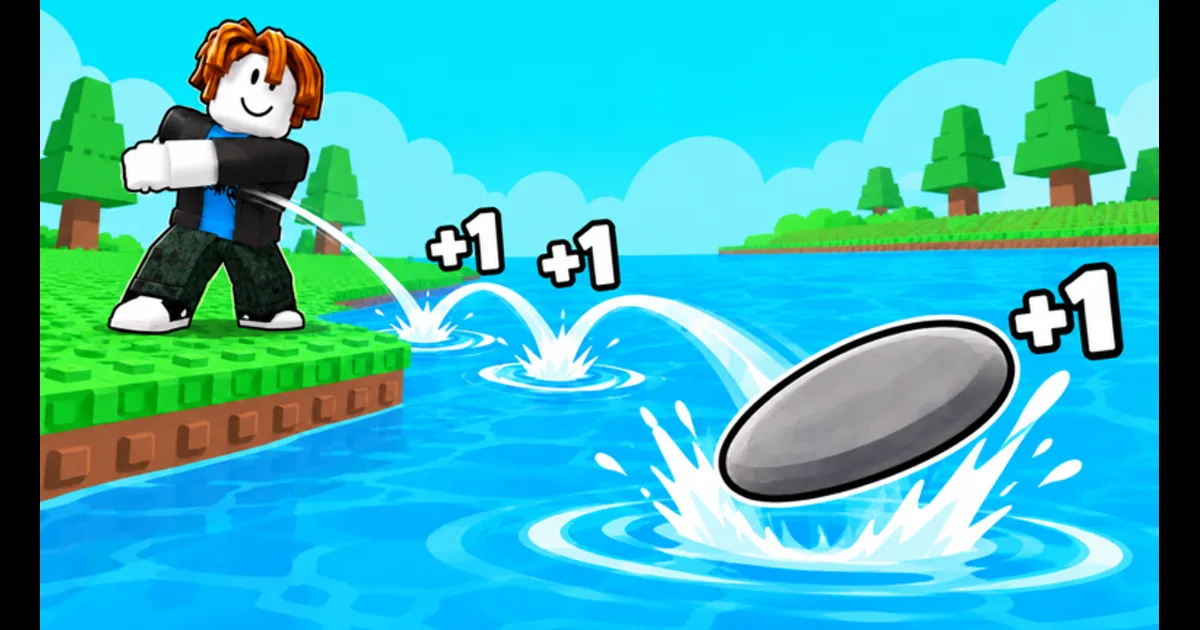
- Throw on the main river. Move to the wide river and press the on-screen Throw button. Your disk-shaped stone skips until it sinks, then you bank Wins. Base rate is +1 Skill per bounce before pads or timed boosts.
- Check Auto Throw if the label appears. If you see an AUTO THROW sign or AUTO tag near your avatar, follow the prompt and watch for repeated throws. Read any unlock or purchase text first. Manual Throw still works if Auto Throw is locked.
- Open Gifts and the claim chest. Open the left Gifts button if it shows a badge. Near spawn, a glowing CLAIM chest may ask you to join the group or like the experience. Claim what your screen offers, then go back to training.
- Buy a better stone type. Spend the first Wins on the next stone in the shop. Stones cost less than eggs and add Skill right away. Leave rare Robux or premium offers alone until the Wins stone line is caught up.
- Hatch pets when Wins open up. Once your stone line for this World is caught up, buy hub eggs. Equip the best owned pet before hatching more. Pets follow you and multiply Skill on later throws.
- Watch the Rebirth meter. When level cap progress hits 100%, Rebirth instead of idle training. Level and Skill reset to 1; stones and pets stay.
Controls
Movement, jump, interact, Throw, and Auto Throw when the prompt appears.
| Action | Input |
|---|---|
| Move | W A S D |
| Jump | Space |
| Interact | E |
| Throw | On-screen Throw button at the river |
| Auto Throw | Follow the AUTO THROW / AUTO prompt when it appears |
Session checks
Same-gear throw comparisons, timed HUD chips, Friend Boost, and Skill pad labels.
- Compare a few throws with the same gear. Keep the same stone, pets, Skill pad, and timed chips for several attempts. Note zone reached and Wins before you change gear.
- Read timed chips on the HUD. 2x Skill and 2x Win chips can appear with timers. Turn them on only when you can keep throwing or training until the timer ends.
- Read Friend Boost on the HUD. Friend Boost can show +0% when you play alone and rise when friends join your server. Use the number on your HUD; you can progress without it.
- Stand on the unlocked Skill pad. Training pads show multiplier labels. Use the strongest pad your account has unlocked, and keep the same pad when you test a new stone.
Early goals
Stable auto-train, first Wins, first stone upgrade, first Rebirth ready.
| Goal | How |
|---|---|
| Stable auto-train | Stand in a side pool or unlocked Skill pad until Skill rises without pressing Throw each time |
| First river Wins | Throw until the stone clears a few zones and banks Wins when it sinks |
| First stone upgrade | Buy the next Wins-priced stone type before eggs or rare Shop offers |
| First Rebirth ready | Push level cap to 100% on the Rebirth meter, then confirm |
Mistakes to skip
Egg-before-stone spends, idling at cap, wasted timed chips, mixed-boost comparisons, and rare-stone chasing.
- Hatching expensive eggs before buying the next stone when Wins are low.
- Idling at the level cap instead of Rebirthing when the meter already shows 100%.
- Throwing on the river with almost no Skill when the side pools are free training.
- Ignoring river zones. Farther sinks pay more Wins than short throws.
- Pasting codes from other +1 simulator games into this Shop box.
- Activating a timed 2x chip then leaving the server before the timer ends.
- Judging a new stone while Friend Boost, pads, or timed chips differ from your baseline throws.
- Buying rare or Robux stone offers before the Wins stone ladder is caught up.
FAQ
What is the goal?
Raise Skill so your disk-shaped stone travels farther across the river. Longer throws clear more zones, bank more Wins, and unlock the next World.
Should I train or Throw first?
Train at the side pools until Skill climbs, then Throw for Wins. Throwing also grants Skill (+1 per bounce at base), but auto-train fills the early gap faster and can push you to the level cap quickly.
What should I buy with my first Wins?
Stone types first. They cost less than eggs and add Skill immediately. Hatch pets after your stone line for this World is caught up. Rare Shop stones are not part of the early route.
When do I Rebirth?
As soon as the percent under the Rebirth button reads 100%. Open the menu, confirm, and resume auto-train. Skill will not rise past the cap if you wait.
Does Rebirth delete my stones and pets?
No. Only level and Skill reset to 1. Stones, pets, and the new permanent Skill multiplier stay. See Progression for the keep and reset table.
What is Auto Throw?
The game can show an AUTO THROW sign and an AUTO tag. Follow the control in your server, watch for repeated throws, and read any unlock text. Manual Throw still works if Auto Throw is locked.
Where are free rewards besides codes?
Open the left Gifts button and the glowing CLAIM chest near spawn. Codes still redeem at the bottom of Shop. Read each claim screen on its own.
Where is the code box?
Open the Shop on the left, scroll to the bottom, paste into the code field, and redeem. Codes are listed on the Codes page.